
Start offline
Warm up by practicing with bots on your own, then head online. The demo and the full game both work this way.
just volleyball tips for a first session start offline. Practice by yourself with bots, then head online. Those bot matches have no named drills, stations, or difficulty ladder.
Warm up against botsStay offline, move yourself, and aim each touch with the cursor. Queue Quickplay after those reps, not before.Warm up by practicing with bots on your own, then head online. The demo and the full game both work this way.
Movement is fully manual, so a bot rally does not walk your player onto the ball. Place the body first. On a controller, the October demo used the left stick for that job.
You aim every touch with the cursor, including the ones you repeat against bots. The same controller session aimed with the right stick.
| Step | Do this | Stop here |
|---|---|---|
1. Bots | Practice offline before Quickplay | No named drill list |
2. Movement | Place the player yourself | No auto-walk to the ball |
3. Aim | Point the cursor or right stick | No separate practice button chart |
4. Size | Use a listed size, 1v1 through 6v6 | Sizes are formats, not drills |
5. Online | Queue after the offline reps | Quickplay is the other path |
There is no serve ladder, block station, or Easy, Normal, and Hard bot tier. Practice by yourself with bots, or head online. A bot match can be any size from 1v1s through 6v6. Pick the size on the Formats page. The size changes how many bodies share the court. It is not a drill name.
You aim with the cursor and you move yourself while the bots keep the ball alive. Move, then point the touch. Receive, set, spike, and jump serve are still the contacts from How to Play. Practicing them does not unlock a hidden key. On a controller, the October demo moved with the left stick and aimed with the right stick, which is enough to run the same offline reps without a mouse.
If the defaults fight you during those reps, open that profile's settings under the top profile tab. Screen shake is in the same place. The September 25, 2026 quick fix put key binds there after players could not rebind.
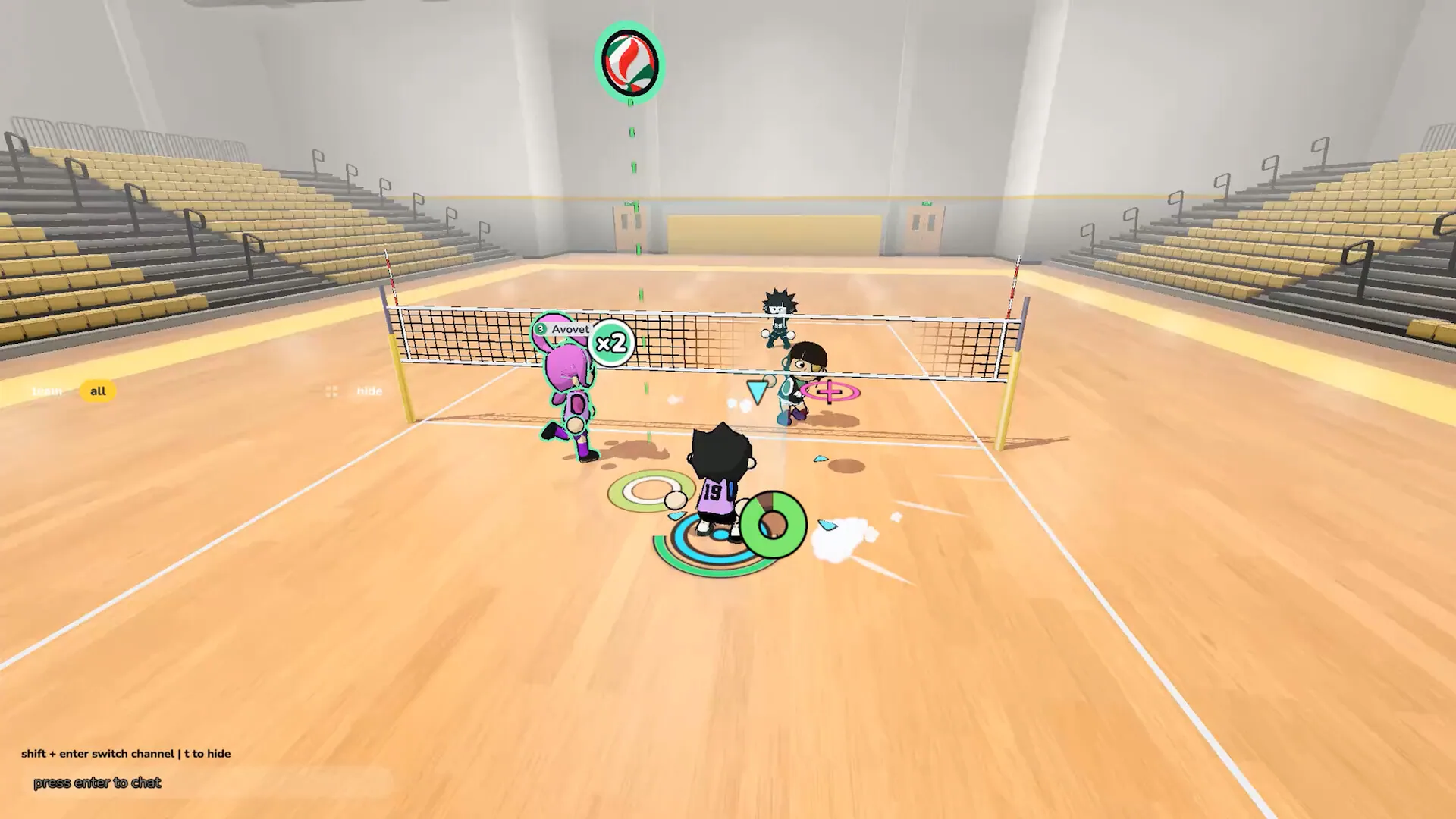
The indoor picture shows a gym rally, a team filter set to all, a name tag reading Avovet, and a chat hint. Shift+enter switches channel and T hides the chat. Avovet is a name tag in that rally, not a roster entry. You cannot tell bots from humans in that still. Use it for the gym and the chat hint, then follow the bot loop above for the warm-up.
Head online once the offline contacts feel deliberate. Quickplay is the matchmaking path. On September 26, 2026, v0.77 changed Quickplay so it prioritizes human matches over bot matches, and the wait can run longer. Offline bots and that online fill are different jobs. The offline path is how you practice without a queue. During the playtest, Quickplay treated bots as the backup fill, not as a gym difficulty.
The free demo, app 5401090, dated October 19, 2026, is the public build you can install for this bot practice. The full game remains scheduled for November 4, 2026. Bot practice does not add a scored drill, a medal, or a recommended number of rallies. Stop when the cursor aim and the manual steps feel familiar, then open Online for Quickplay, lobby codes, and the Discord invite.
A clean first block is one team size against bots, then the next size up, from 1v1s through 6v6. You still aim with the cursor and move yourself at every size. On a controller that is the left stick for your feet and the right stick for the touch. If a default key fights you, the profile tab holds binds and screen shake. Quickplay after v0.77 looks for humans before it fills with bots, and that wait can run long.